This guide examines NetSuite and QuickBooks as destinations for payment data sent from card issuing platforms. It covers the core function of APIs, essential transaction fields required by finance departments, operational differences between both cloud accounting platforms, and steps to maintain consistent ledger records. A dedicated section also outlines how Wallester White-Label connects modern card programmes to external financial systems.
Businesses that use corporate cards need accurate transaction records in their accounting software. Manual transfers can leave gaps between card activity and financial reports, particularly when several employees or accounts generate expenses. NetSuite and QuickBooks offer integration options for external applications, including payment and expense management systems. An API connection can transfer relevant transaction data into an accounting workflow, with the exact setup depending on the software edition, available interfaces and the company’s reporting requirements.
How do NetSuite API and QuickBooks API integration sync payment data?
Both platforms provide APIs that allow external applications to exchange financial records, but the available operations and integration requirements differ.
In practical business workflows, card transaction data flows through five sequential stages:
- A card issuing platform records transaction activity.
- An integration connects the platform to NetSuite or QuickBooks.
- The integration maps transaction fields to the appropriate accounting records.
- The accounting system receives the relevant data according to the configured workflow.
- Reconciliation checks help identify missing, duplicate or mismatched records.
Finance teams must separate a card transaction from an accounting payment. A card purchase represents an immediate expense or credit card balance change. Conversely, payments recorded against sales invoices or supplier bills follow distinct ledger accounts. Treating every card swipe as an accounts payable settlement creates ledger imbalances.
Technical documentation clarifies these record types. According to Oracle NetSuite REST web services documentation, external platforms can query standard business records, create custom transactions, and post journal entries via standard endpoints. Meanwhile, the QuickBooks Online Accounting API documents the Payment resource to capture incoming receivables or bill settlements. Card expenses sent to QuickBooks generally require purchase or expense resources instead of settlement entries alone.
Q&A: Can NetSuite and QuickBooks sync card transactions automatically?
Automated sync functions when an organisation builds or configures a compatible integration layer. The exact outcome depends on supported card issuer endpoints, authentication methods, ledger structures, and scheduled execution frequencies. Neither accounting platform provides a universal, pre-set connection that links to every corporate card provider without configuration.
What payment data should sync with NetSuite or QuickBooks?
The integration should transfer the fields needed for expense records, reconciliation and financial reporting.
Transferring raw payment payloads without structure causes reporting discrepancies. Teams must capture cardholder identifiers, clear line-item descriptions, settlement currencies, and operational states. Proper mapping transforms simple transaction notifications into complete accounting records.
| Data field | Accounting purpose |
|---|---|
| Transaction amount and currency | Record the expense value |
| Merchant details | Identify the supplier or purchase |
| Transaction reference | Match records across systems |
| Expense category | Assign the correct account |
| Refund or reversal | Record a financial adjustment |
| Transaction status | Support reconciliation |
Custom mapping rules bridge the gap between issuing APIs and accounting schemas. NetSuite organises financial entries around subsidiaries, departments, and general ledger accounts. QuickBooks Online structures expense entries around accounts, classes, and suppliers. As these database architectures differ, developers cannot apply identical payload payloads across both platforms.
Q&A: Should every card transaction appear in the accounting system immediately?
The optimal sync schedule depends on operational needs. Budget controllers tracking daily limits benefit from near-real-time updates, whereas controllers managing formal period closures often prefer batched daily summaries. Real-time pipelines must also contain specific filters to handle pending authorisations, settlement adjustments, and duplicate webhook alerts.
How should businesses choose between NetSuite and QuickBooks for payment data sync?
The choice depends on the company’s accounting requirements, business structure and existing software setup.
NetSuite serves mid-market enterprises and international corporations managing multiple subsidiaries, multiple currencies, and complex consolidation rules. A NetSuite API implementation handles multi-entity charts of accounts, intercompany eliminations, and detailed tax schedules. In contrast, QuickBooks Online supports small and growing businesses focused on straightforward ledger maintenance, invoicing, bill payments, and standard cash flow management.
Market adoption reflects this focus on SME operations. According to official Intuit FY2026 financial results, QuickBooks Online Accounting revenue grew 23% in fiscal 2026, while the broader Online Ecosystem revenue expanded by 19%. These indicators illustrate the widespread adoption of cloud accounting among commercial organisations managing business payments.
Selecting the software platform remains distinct from choosing an integration method. Both environments demand secure authentication, careful field mapping, and validation checks. Oracle NetSuite REST web services documentation specifies REST services with OAuth 2.0 as the standard integration approach for secure cloud data exchange.
Q&A: Can one integration support both NetSuite and QuickBooks?
A business can operate a centralised data gateway that processes outbound transactions from a card issuer. However, the destination connectors must remain separate. Each system enforces proprietary schema definitions, custom fields, authentication protocols, and validation constraints that require distinct mapping logic.
How Wallester connects card programmes with cloud accounting platforms
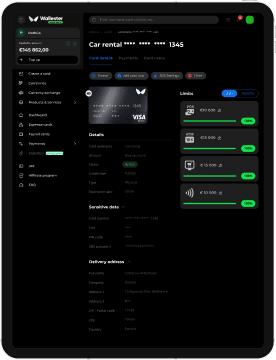
Wallester White-Label provides card issuing infrastructure through modern REST APIs for businesses that build their own branded corporate card programmes. The platform records card transactions, manages spending limits, and supplies structured payment data for corporate operations.
Organisations bridge card activity and financial platforms by routing data through an intermediate integration layer. This configuration maps transaction data into NetSuite or QuickBooks, supporting financial reporting, expense management, and transaction reconciliation. The integration pipeline verifies incoming references, checks for duplicate entries, and manages failed API requests before ledger records update. The final setup aligns with the accounting edition, ledger rules, and reporting policies chosen by the finance department.