This article compares batch processing and real-time data sync as two ways to move information between business systems. It explains how each approach works, where each fits best, what trade-offs businesses need to consider, and how to choose an integration pattern based on data freshness, transaction volume, operational requirements and system capabilities. The article also explains how Wallester supports real-time payment data integration through its REST API and webhooks.
Businesses often need to move transaction, payment, balance or account data between several systems. The choice of integration pattern affects how quickly information becomes available and how systems respond to new events. Batch processing groups data and transfers it at scheduled intervals. Real-time data sync sends information as events occur. The right option depends on how current the data needs to be, how systems use it, and what the integration must support.
What is the difference between batch processing and real-time data sync?
Batch processing transfers groups of records at set intervals, while real-time data sync sends or updates data as events occur.
Under a batch processing model, a source application accumulates data points over time and exports them together according to a defined timetable, such as hourly, daily, or at midnight. Systems handle accumulated files during planned windows without demanding continuous connectivity.
Real-time data sync moves records continuously. When a cardholder taps a card, an invoice clears, or an account balance changes, the event immediately generates an electronic message that flows straight to the receiving application.
Batch jobs align with administrative reporting, periodic accounting reconciliation, and massive historical data archives. Event-driven synchronisation aligns with live transaction tracking, available balance displays, automated security alerts, and customer-facing interfaces that demand immediate accuracy.
| Factor | Batch processing | Real-time data sync |
| Data availability | At scheduled intervals | Shortly after an event |
| Best suited to | Reports, reconciliation, periodic updates | Transactions, alerts, live workflows |
| System interaction | Scheduled | Event-based or continuous |
| Data freshness | Lower | Higher |
| Implementation needs | Usually simpler | More integration controls |
Q&A: Is batch processing always slower?
Batch processing deliberately pauses data movement until a designated schedule runs. This structured delay works well whenever immediate access adds little commercial value, such as end-of-day general ledger reconciliations.
When is batch processing the better choice?
Batch processing works well when data can be updated at set intervals and the business does not need every event immediately.
Core use cases include:
- Daily accounting ledger updates
- Scheduled bank and payment reconciliation
- End-of-day statutory and executive reporting
- Large historical data transfers
- Periodic data exports for business analytics
- File exchanges with legacy banking systems
A batch processing system brings predictable operational cadences. Running integrations during off-peak hours shields transactional databases from heavy computational strain. Processing records in bulk delivers substantial computing efficiencies, as servers open single communication channels to transfer tens of thousands of rows. Many established enterprise resource planning suites and heritage banking platforms only accept flat files delivered at fixed intervals, making scheduled batches an ideal match.
The pattern has natural operational limits. Records stay stagnant inside the source platform until the export timer triggers. A card settlement recorded at breakfast will not appear in financial software until the evening batch executes. If an invalid data field corrupts a file, the entire batch job can stall, demanding manual administrative intervention before balances align.
Data volumes continue to expand across European financial channels. The European Central Bank reported that retail payment systems in the euro area processed 60.1 billion transactions worth €27.9 trillion in the second half of 2025 alone, representing substantial data volumes that corporate accounting divisions must structure and reconcile methodically.
Q&A: When is a daily data sync enough?
Daily cycles fit finance departments that balance ledgers or produce statutory accounts after trading hours close. When decisions depend strictly on settled business periods, intraday data streams create unnecessary system noise.
When does real-time data sync make more sense?
Real-time data sync is more suitable when a business needs current information to make decisions, trigger actions or update customer-facing systems.
Corporate expense programmes, fintech platforms, and e-commerce merchants rely on live connectivity for operational stability. When a business issues corporate Visa cards to staff, the host application needs instant balance checks to approve or decline purchases at the terminal. Real-time updates power fraud detection mechanisms, enforce automated card-spending limits, refresh customer balance screens on mobile devices, and feed live treasury monitoring dashboards.
Instant data movement prevents discrepancies between connected platforms. Support agents see recent card activity the moment a client calls. Risk management algorithms halt fraudulent checkout attempts before transactions clear. Operations personnel track liquidity movements across multiple bank entities as money travels.
This agility requires sophisticated technical coordination. Applications must incorporate resilient message queues, handle transient connection drops, and manage network retries gracefully. Developers must write defensive code to intercept duplicate event transmissions and keep data strictly aligned.
Q&A: Does real-time sync mean data arrives instantly?
Real-time data delivery transfers payloads within seconds or sub-seconds of an event. Technical factors like network latency, processing queues, and gateway handshakes mean delivery happens shortly after an event, not in zero elapsed time.
How do businesses choose between batch processing and real-time sync?
The choice depends on how quickly the connected system needs new information and what business action depends on that data.
Engineering and finance teams should evaluate six criteria:
- Data freshness: How many minutes or hours can pass before stale information creates operational errors?
- Business action: Does an incoming record require an automated approval, customer text alert, or card freeze?
- Transaction volume: Does the system exchange steady individual actions or heavy bulk archives?
- System capability: Can internal databases accept continuous webhooks without performance degradation?
- Error handling: How will technical staff identify, isolate, and replay individual failed records?
- Cost and complexity: Does the business gain enough commercial value from immediate access to justify building continuous event monitoring?
| Business need | Recommended pattern |
| Daily accounting reconciliation | Batch processing |
| Historical reporting | Batch processing |
| Live transaction status | Real-time data sync |
| Current card balances | Real-time data sync |
| Periodic data export | Batch processing |
| Fraud or spending controls | Real-time data sync |
Q&A: Can a business use both integration patterns?
Many enterprise architectures combine both models into a hybrid setup. A company can process individual card purchases through live event streams while exporting nightly billing summaries to an accounting archive via scheduled files.
How Wallester supports real-time data integration
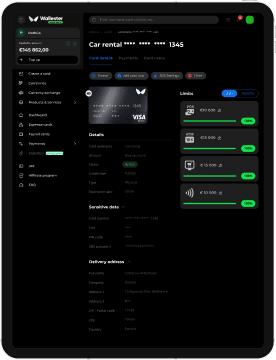
Wallester Business provides a modern REST API that connects card programmes directly with corporate ERP, CRM, and custom financial software. Through this unified interface, organisations synchronise balances, monitor corporate card expenditure, and access real-time payment information as cardholders transact across global merchant locations.
The platform supplies configurable webhooks that transmit immediate notifications for payment authorisations, settlements, declines, and account balance revisions. When an employee completes a business purchase, Wallester dispatches the event payload directly to the connected accounting system. Finance departments gain immediate visibility over cardholder activity, apply custom transaction rules, and speed up monthly bookkeeping tasks without waiting for delayed banking statements.