A company card can be ready to use while a software subscription still bills the old one. A traveller can have a new card while a hotel holds funds against the previous card. These are the details a finance team needs to resolve when changing corporate card providers.
The transition covers employee spending, merchant billing details and outstanding activity on the old account. For a UK finance manager, the practical job is to assign each item to someone, test the replacement and decide what evidence allows the next stage to proceed.
Define What the Switch Must Fix
Start with the problem you can measure. If costs prompted the switch, compare expected annual costs using the corporate-card cost worksheet. If receipts arrive late, test the receipt process. If staff struggle to get payment issues resolved, establish the support route before moving essential spending.
Write down the conditions for success and appoint one finance lead to approve each batch of changes. Read both providers' terms for notice, closure requirements and any outstanding obligations. This checklist concerns your company's employee expense cards; changing an issuing programme or business bank account requires its own plan.
Build the Inventory Before Choosing a Cutover Date
List every card and cardholder, then reconcile merchant activity against statements and department records. Include annual subscriptions, renewal dates, billing currencies and the person who owns each service. Use masked card references in the tracker, never full card numbers or security codes.
Add future travel bookings, pending authorisations, expected refunds and open disputes. Record where receipts and approvals sit, which accounting connections are active and who can access the old account. A quiet statement period does not prove that an annual renewal or a delayed merchant charge has disappeared.
Copy the table into your transition tracker. Replace each suggested role with a named person and a due date. Use Not started, In progress, Blocked or Verified for status. For each exception, record the issue and the next action; only mark a row Verified when its evidence has been checked.
Corporate Card Provider Transition Tracker
| Workstream | Action and Evidence | Owner / Due Date | Status / Exception |
|---|---|---|---|
| Inventory | Match cards and recurring merchants to statements; confirm renewal dates with service owners. | Finance lead Name: ____ Due: ____ | Status: ____ Exception/action: ____ |
| Records | Export statements and retain receipts, invoices and approvals. Open sample files and check access. | Accounting owner Name: ____ Due: ____ | Status: ____ Exception/action: ____ |
| Pilot | Confirm funding, card readiness and authentication. Check a genuine purchase, receipt and accounting record. | Pilot owner Name: ____ Due: ____ | Status: ____ Exception/action: ____ |
| Recurring Merchants | Update each billing account. Save confirmation and check the next relevant charge. | Service owner Name: ____ Due: ____ | Status: ____ Exception/action: ____ |
| Travel and Open Items | Record holds, refunds and disputes. Obtain merchant/provider instructions and a follow-up date. | Travel/finance owner Name: ____ Due: ____ | Status: ____ Exception/action: ____ |
| Employee Rollout | Practise payment and receipt tasks. Confirm which card to use and the support route. | Team lead Name: ____ Due: ____ | Status: ____ Exception/action: ____ |
| Retirement | Resolve closure conditions; retire obsolete access and connections. Retain written closure confirmation. | Authorised administrator Name: ____ Due: ____ | Status: ____ Exception/action: ____ |
Prove the New Payment Process With a Pilot
Complete account approval and confirm the funding method and available balance before scheduling essential payments. Check card availability, activation where required, permissions and spending limits. The employee must be able to complete any authentication requested during a purchase.
Use a small pilot group to make genuine, authorised business purchases. Check what happens after payment: can the employee attach the receipt, can finance find it, and does the transaction reach the accounting record through the intended workflow? A successful card payment alone does not verify the bookkeeping process.
Pause the affected batch if funding, authentication or an essential merchant payment fails, or if finance cannot reconcile the transaction. The finance lead should approve the fallback and the retest. Use the old payment method only where it remains available and authorised; otherwise agree another permitted method. Check the original payment's status before retrying to avoid paying twice.
Move Merchants and Employees in Controlled Batches
Assign each subscription to its service owner. Update the merchant's billing account and retain its confirmation. Track the next relevant charge, including renewals that fall after the main rollout. Do not assume a new provider will transfer subscriptions automatically, or that cancelling a payment card ends a merchant contract.
Give employees the cutover instructions before their cards change. They should know how to sign in, authenticate a purchase, submit a receipt, report a declined payment and get help with a limit. Ask pilot users to perform these tasks, then use their questions to improve the instructions for everyone else. The corporate card programme management guide covers the wider operating responsibilities.
Illustrative Example: A Software Renewal
A software subscription renews next week. Its service owner updates the billing details, saves the merchant confirmation and checks whether an invoice or payment is already processing. Finance records who will check the renewal charge.
Go: billing details are confirmed and the new payment method has passed the pilot. Stop: the merchant cannot confirm the change or the charge fails. The service owner contacts the merchant; finance authorises a fallback if needed and verifies that no duplicate charge will be created. The item stays open until the renewal payment is checked.
Illustrative Example: A Hotel Hold and Expected Refund
An employee has an upcoming hotel stay and expects a refund for a changed booking paid with the old card. The travel owner asks the hotel which card must be presented at check-in and how the deposit or hold will be handled. Finance asks the old provider how the refund would reach the business if the card or account closes.
Go: the traveller has the required payment method and the refund has an agreed handling route. Stop: either is unresolved. Keep the affected closure step on hold and arrange a hotel-approved alternative where needed. Assign someone to reconcile the hold release and refund. Record them separately from new spending. Check the corporate travel card requirements before departure.
Retire the Old Account After the Checks Pass
Card cancellation and account closure are separate decisions. Ask the old provider how pending payments, refunds and disputes will be handled, and how statements and receipts can be retrieved afterwards. Agree owners for unresolved items. The provider's closure conditions and your outstanding activity determine the overlap period; there is no universal number of days.
Export records before removing access. Check that the files open and that finance retains the documents needed to explain the transactions. A CSV export does not establish that receipt images, approval history or old transactions will transfer into the new platform.
Restrict unnecessary old spending when safe, while retaining the access needed to manage outstanding matters. Remove obsolete integrations and credentials in the agreed sequence. Complete the provider's closure process and save its written confirmation with the final reconciliation.
Assess Wallester Business Against Your Checklist
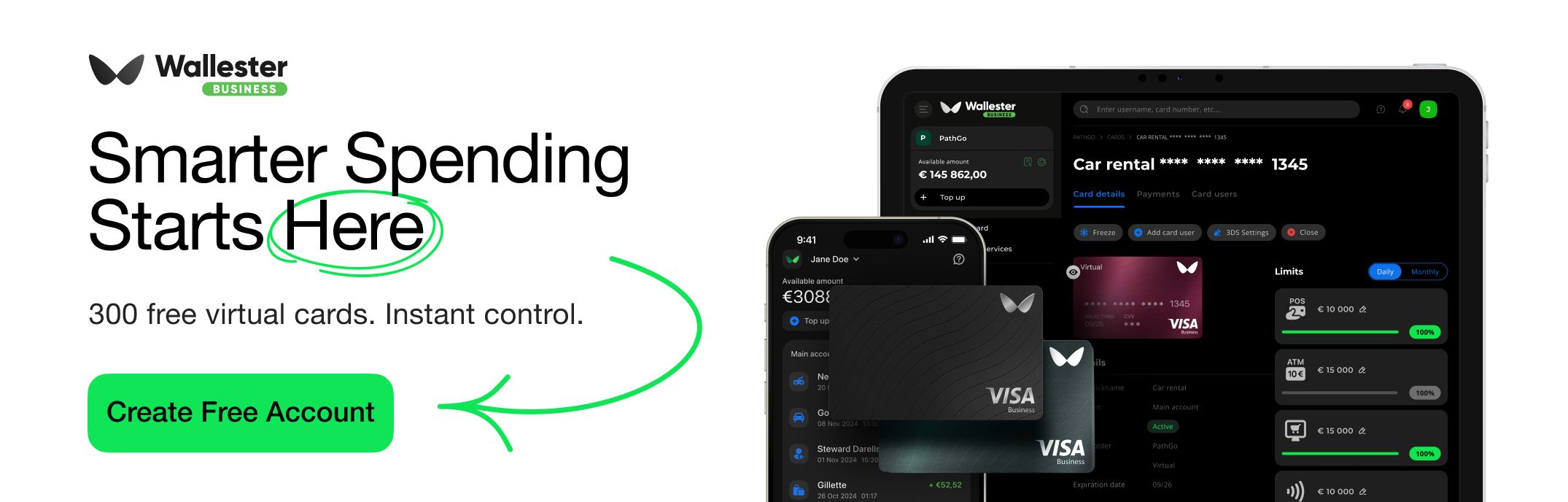
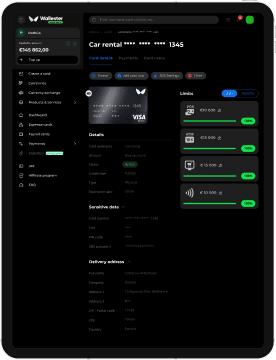
Wallester Business offers physical and virtual expense cards, spending limits and receipt capture through its app. Transaction tags are included in exported CSV and Excel statements. During evaluation, test these features against your own purchase and accounting workflow, and confirm any requirements for historical records with the team.
Use your completed inventory when discussing Wallester Business: bring the recurring merchants, travel requirements and unresolved items that the replacement process must handle. Agree how those items will be tested before choosing a cutover date.