This guide explains what virtual cards are, why many companies now use them instead of physical cards, and what to look for when choosing a provider in 2026. It also compares 20 virtual card platforms, focusing on card types (single-use and multi-use), spend controls, team management, accounting integrations, and availability across regions. You will also find practical steps for using virtual cards day to day, plus answers to common questions about free virtual cards, subscriptions, and the difference between virtual credit and debit cards.
By 2026, virtual cards have become part of everyday business spending. They offer strong protection against fraud, let you control every pound or euro that leaves the account, and make online payments fast and easy. What once seemed like an innovation is now simply how companies manage their payments.
What are virtual cards?
A virtual card is a digital payment card used for online purchases, in apps, and, with compatible mobile wallets, at contactless terminals. It has its own card number, CVV and expiry date, and connects to a business or personal account. Depending on the provider, a virtual card can be permanent, temporary or single-use.
Virtual cards can help keep your main card details out of sight when you pay online. You can also freeze or cancel a card without affecting the main account, depending on the provider. Some cards support spending limits, expiry dates and other usage controls, giving you more control over how they are used.
Many virtual cards can be added to Apple Pay or Google Pay for contactless payments. However, mobile wallet support and card acceptance vary by provider, card type and country. Features such as single-use cards, temporary cards and custom spending rules are also provider-specific.
Why choose virtual cards over physical cards?
Better protection for online payments: Virtual cards can keep your main card details out of online transactions, limiting the exposure of your primary card. Some providers also offer temporary or single-use cards, spending limits, card freezing and other security controls. Two-factor authentication and biometric verification may provide additional protection, depending on the service.
Convenient for digital payments: Virtual cards work well with digital wallets and online checkout. Where Apple Pay or Google Pay is supported, you can use a virtual card for contactless payments without carrying a physical card. You can also freeze or cancel the card through the provider’s app or platform.
Flexible spending controls: Businesses can issue virtual cards for employees, contractors, subscriptions, advertising and other specific expenses. Depending on the service, each card can have its own spending limit, expiry date or usage restrictions. Some platforms also support automated card creation for recurring or predefined payments.
Easier to contain card-related losses: If a virtual card is compromised, you can often freeze or cancel it without replacing a physical card. Spending limits can also cap the amount available on a particular card, although the level of protection depends on the provider and card settings.
Simpler expense tracking: Virtual cards can be assigned to specific employees, projects or types of spending. This gives finance teams a clearer record of transactions and can make expense tracking and reconciliation easier, especially when virtual cards are integrated with expense management or accounting software.
The 10 Best Virtual Card Providers for 2026
Choosing a virtual card provider depends on how your company handles payments, accounting, and team expenses. Some platforms focus on simple online payments, while others combine cards with full financial management systems. Below are twenty providers that stand out in 2026 for reliability, functionality, and the range of tools they offer to businesses across various regions.
1. Wallester Business
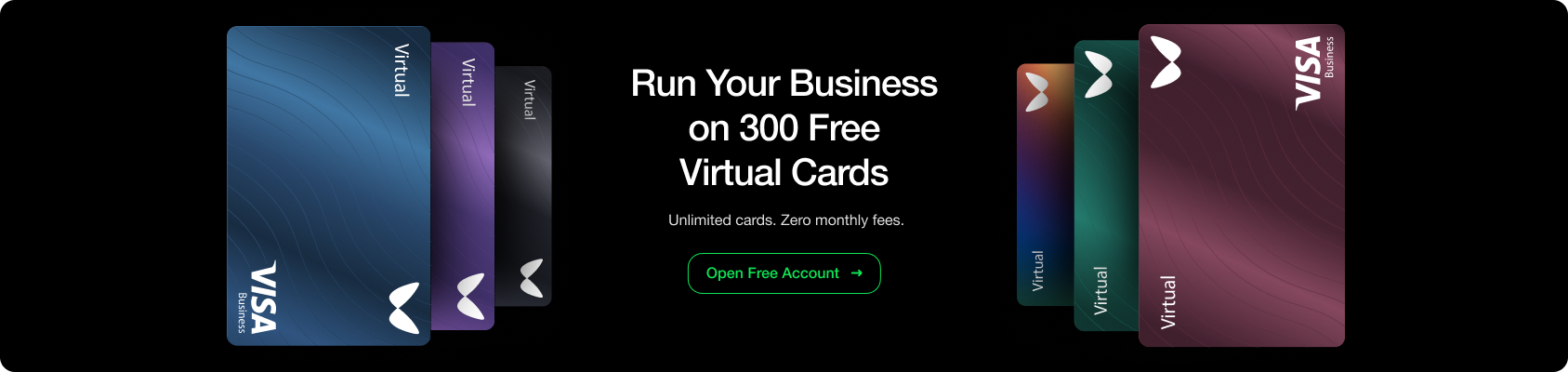
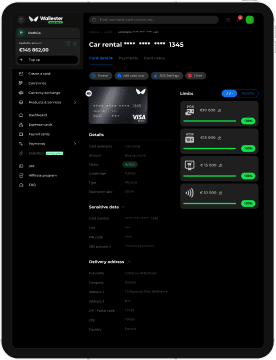
Wallester continues to be a strong choice for businesses issuing virtual and physical cards while retaining full expense-control capabilities. Based in Estonia, Wallester offers instant issuance of both virtual and physical Visa cards via a modern app and a full expense-management suite.
Key features
- Free plan includes up to 300 virtual cards.
- Ability to issue many more cards via paid tiers (see current pricing).
- Real-time expense tracking, instant visibility of transactions.
- Customisable spending limits per card, merchant restriction controls.
- Integrations with accounts and ERP tools such as QuickBooks, Xero and others.
- Support for 3D Secure authentication.
- Flexible validity periods for virtual cards; optionally convert to physical when needed.
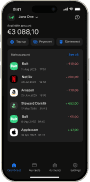
- Mobile app for full on-the-go management.
- API integration for custom workflows and automation.
Pros
- Generous entry-tier offering of virtual cards.
- Strong expense-management features alongside card issuance.
- Good security controls with per-card customisation.
- Supports both virtual and physical cards.
- White-label solutions for companies issuing branded cards.
- Instant card issuance and broad international merchant support.
Cons
- Additional virtual cards are available for a monthly fee, including on the Free plan.
- Some advanced features may require higher-tier subscription.
- Regional availability may differ (check local support).
Set-up process
- Create an account on Wallester platform.
- Complete KYC/KYB verification for your business.
- Connect the business bank account for funding.
- Begin issuing and customising virtual cards immediately.
- Download the mobile app for oversight.
- Set up integrations with your accounting system if needed.
Best for
- Small to medium enterprises needing robust spend-control via virtual cards.
- Companies issuing large numbers of cards to departments, campaigns or teams.
- Businesses with distributed teams and need of expense-tracking and budget oversight.
- Fintechs or SAAS firms seeking white-label virtual card issuing capability.
- Media-buyers, advertisers and subscription-heavy operations managing ad spend across many cards.
2. Soldo
Soldo is a UK- and EU-licensed spend-management platform that issues both virtual and physical prepaid Mastercard cards for businesses of all sizes. It allows companies to allocate budgets, set limits, and monitor spending in real time across multiple teams and departments. Designed for flexibility, Soldo helps European businesses simplify expense management without replacing their existing bank accounts.
Key features
- Instantly generate virtual cards assigned to employees, teams, or projects, ready for online use in seconds.
- Issue physical prepaid Mastercard cards alongside virtual ones to cover both online and in-store spend.
- Set spending limits, budgets, and merchant restrictions on a per-card basis; freeze or cancel cards in real time from the app.
- Capture receipts, automate expense categorisation, and integrate transaction data with accounting systems like Xero, QuickBooks, and NetSuite.
- Support for multiple currencies (including EUR, GBP, USD) and use across the European Economic Area.
Pros
- Strong expense-management platform built around cards, great for SMEs and growing companies.
- Full control over spend with real-time visibility and per-card restrictions.
- Virtual cards enable fast online payments and campaign-specific budgeting.
- Works across Europe with EEA e-money licensing, offering wide country support.
Cons
- Some advanced features (multi-currency, enterprise workflows) require higher-tier plans.
- Because it relies on a prepaid card model rather than a full bank account, businesses may still need a separate main business bank account.
- A 1.5% foreign exchange fee applies when spending in a currency different from the card’s denomination.
Set-up process
- Open a Soldo business account and complete AML/KYC checks.
- Select your plan (Standard, Plus, Unlimited) and set up company account structure.
- Add users or team members and allocate budgets or top-up funds.
- Issue virtual or physical cards, define spending rules and merchant/usage controls.
- Download the mobile app or log into the web console for real-time monitoring and receipt capture.
- Integrate with your accounting software and begin issuing cards for online or in-store use.
Best for
- European SMEs and scale-ups managing many card users, digital subscriptions, or remote teams.
- Companies needing strong control and visibility over employee or campaign spending without major overhaul of banking setup.
- Organisations wanting to issue virtual cards for online spend and physical cards for team use under a single platform.
3. Revolut Business
Revolut is a key digital-banking solution for business virtual cards, especially for multi-currency and tech-savvy firms. Their virtual card offering is flexible (single-use vs multi-use) and integrates tightly with mobile-first workflows.
Key features
- Disposable single-use virtual cards and multi-use cards for subscriptions.
- Support for 35+ business currencies with competitive FX rates.
- Real-time transaction notifications and spending analytics.
- Instant card issuance via the app.
- Team-member card management built into business accounts.
- Customisable spending limits and merchant controls.
- Instant freeze/unfreeze of cards via mobile.
Pros
- Very strong security with disposable cards for online transactions.
- Multiple virtual cards for different team members, campaigns, and subscriptions.
- Good multi-currency capability for international spending.
- App interface is intuitive and user-friendly.
- Zero or low issuance latency (cards appear instantly).
Cons
- Some advanced features (multi-entity, large-team support) require higher-tier subscription.
- Customer support is sometimes rated slower compared with traditional banks.
- Availability of features may vary by region.
Set-up process
- Download the Revolut business app and sign up.
- Complete identity/business verification (KYC/KYB).
- Fund the business account.
- In the Cards section, choose virtual card type (single-use/multi-use).
- Set limits or restrictions as needed.
- Begin spending immediately.
Best for
- Businesses with frequent international payment needs and subscriptions.
- Remote teams using many online services and digital tools.
- Companies that value quick mobile-based setup and flexible card issuance.
- Fintech or e-commerce businesses comfortable with digital-first banking.
4. Payhawk
Payhawk is a leading European spend-management platform that combines corporate virtual and physical cards with automated invoice management, expense tracking, and deep ERP integrations.
Key features
- Instant issuance of multi-currency virtual cards for employees, subscriptions, and vendor payments.
- Built-in OCR technology for automated receipt and invoice capturing.
- Deep, two-way sync with accounting tools and ERPs like NetSuite, QuickBooks, Xero, and SAP.
- Granular spending controls, approval workflows, and custom limit rules per card.
- Support for EUR, GBP, USD, CHF, PLN, RON and DKK spend across European and international markets.
Pros
- Combines virtual card issuing with comprehensive Accounts Payable and invoice processing.
- Seamless integration with enterprise accounting platforms simplifies reconciliation.
- Up to 3% cashback on card purchases, depending on the subscription plan.
- Robust security features and flexible limit controls for remote teams.
Cons
- Primarily tailored toward mid-market and enterprise businesses rather than micro-freelancers.
- Pricing reflects enterprise features and requires custom tier quotes for larger setups.
Set-up process
- Register on the Payhawk platform and complete corporate KYB verification.
- Fund your corporate account in your preferred primary currencies.
- Define approval chains, expense policies, and spending limits.
- Issue virtual cards instantly to employees or specific procurement channels.
- Sync transaction data directly with your accounting software.
Best for
- Mid-sized and growing enterprises looking to unify virtual cards, invoices, and expense workflows.
- Companies requiring direct integration into complex accounting software or ERP systems.
- European and global businesses managing multi-currency operational spending.
5. Airwallex
Airwallex is great for companies operating globally. With multi-currency accounts, virtual cards and a strong global footprint, Airwallex offers a compelling solution for businesses with international spending and supplier management.
Key features
- Visa virtual cards issued without extra card-issuance fee in many markets.
- Multi-currency wallets in 20+ currencies (USD, EUR, GBP, AUD etc.).
- Near-interbank FX rates with transparent pricing (small spreads may apply).
- Role-based permissions, team access controls and custom card limits.
- Apple Pay / Google Pay compatibility in supported markets.
- Multi-currency support for spending in 60+ countries (depending on jurisdiction).
Pros
- Excellent for companies with significant cross-border spend and supplier payments.
- Flexible billing and card issuance for teams across currencies.
- Transparent FX and global capability make it stand out for international operations.
- Scalable for businesses of many sizes.
Cons
- Some physical card features may be limited geographically.
- Account setup may require more extensive verification in some countries.
- Not all currencies and features available in all markets; check region.
Set-up process
- Register business account on Airwallex.
- Complete identity and business verification (KYC/KYB).
- Open the multi-currency wallets your business needs.
- Fund account via local or international transfer.
- Issue virtual cards from the wallet, set limits and assign roles.
- Connect to accounting software and start managing spend globally.
Best for
- International startups and digital agencies managing global ad spend or supplier payments.
- E-commerce and SaaS companies with foreign currency transactions.
- Remote or distributed teams needing multi-currency cards and spending control.
- Businesses replacing traditional banking with flexible global wallets and cards.
6. Wise Business
Wise (formerly TransferWise) is a leading option in 2026 for businesses needing virtual cards tied to multi-currency accounts with transparent FX and broad international support.
Key features
- Virtual debit cards linked to a Wise business account with access to 40+ currencies.
- Spending at the mid-market exchange rate plus a clear, low conversion fee without hidden FX mark-ups.
- Instant spending notifications, instant freeze/unfreeze of cards.
- Up to 3 digital cards can be issued per Wise Business team member.
- Integration with Apple Pay or Google Pay in supported markets.
Pros
- Transparent pricing and FX, good for international spenders.
- Multi-currency support makes cross-border purchases and subscriptions easy.
- Virtual cards appear quickly; strong for online use.
- Instant freeze/unfreeze adds security.
Cons
- Primarily debit-style offering (not full credit line).
- Some regions may still have feature or currency limitations.
- Physical card support and in-store chip & PIN may not match traditional banks.
Set-up process
- Sign up for a Wise business account.
- Complete identity/business verification.
- Fund account or link bank for currency transfer.
- Request virtual card(s), assign to team or project, set limits.
- Add card to mobile wallet if desired and start spending.
Best for
- Companies with frequent international payments, subscriptions or remote teams.
- Businesses wanting transparent FX and multi-currency flexibility.
- Online-only firms, SaaS, digital agencies working across borders.
- Firms seeking easy virtual-card issuance without complex approvals.
7. Pleo
Pleo has matured into one of Europe’s top spend-management platforms in 2026, offering both virtual and physical cards for teams with strong analytic and control features. Serving tens of thousands of companies across Europe, Pleo focuses on simplifying expense workflows.
Key features
- Virtual and physical Mastercard cards for teams, with real-time notifications and spend tracking.
- Automated receipt capture and AI-powered expense categorisation.
- Custom limits and merchant restrictions; Support for EUR, GBP, USD, DKK, SEK and NOK through multi-currency accounts.
- Integrations into major accounting systems: Xero, QuickBooks, Sage.
- Multi-entity support for businesses operating in more than one country.
Pros
- User-friendly interface for both employees and finance teams.
- High automation reduces manual expense reporting and reconciliation.
- Good multi-currency and international-team support for European base.
- A strong ecosystem for SMEs and scaling companies.
Cons
- Paid subscription required (no fully free tier for all features).
- Availability outside Europe may be limited or require partner arrangements.
- Advanced features such as multi-entity management, advanced card controls and approval workflows are available on higher-tier plans.
Set-up process
- Sign up via Pleo website with company email.
- Complete KYC/KYB for business.
- Add employees, define roles and issue cards.
- Connect to accounting software.
- Assign budgets and start tracking in real time.
Best for
- SMEs and growing businesses in Europe digitising their spend and card issuance.
- Companies with multiple departments/teams requiring separate budgets.
- Remote/distributed teams where online/digital spending dominates.
- Finance teams wanting strong expense-control and reconciliation automation.
8. Monzo Business
Monzo Business remains a strong virtual-card option for UK-based small businesses in 2026, particularly those working entirely online and operating primarily in GBP currency. Their virtual card capabilities are integrated with Monzo’s budgeting “Pots” and mobile-first banking.
Key features
- On Business Pro and Team, up to 5 active virtual cards per person, with up to 9 new virtual cards per month and 100 per year.
- Each virtual card has unique details separate from physical cards.
- Integration with Monzo “Pots” feature for budget separation and dedicated spending buckets.
- Instant freeze/unfreeze, real-time notifications via mobile.
- Apple Pay and Google Pay support for virtual cards (where available).
- Accounting integrations with Xero, QuickBooks and FreeAgent.
Pros
- Excellent for UK-based small businesses wanting simplicity and online focus.
- Clear virtual-card offering tied to mobile-banking experience.
- No personal guarantee required; good for sole traders and small teams.
Cons
- Business accounts are available to UK sole traders and limited company directors, with GBP as the primary account currency.
- Virtual cards are available on Business Pro and Business Team plans.
- Receiving non-GBP payments may incur extra conversion fees in certain cases.
Set-up process
- Open Monzo Business Pro account (UK business registered).
- Complete identity and company verification.
- In the app, navigate to Cards, then Virtual card, and issue card.
- Link card to a Pot if you wish to categorise budget.
- Use virtual cards immediately for online spend/subscriptions.
Best for
- UK-registered small businesses, freelancers and online operators.
- Companies with primarily GBP spend, digital subscriptions and web-based operations.
- Teams needing simple, intuitive virtual-card control integrated with mobile banking.
9. Spendesk
Spendesk is a leading European spend-management solution designed to give finance teams complete control over corporate spending while offering employees intuitive virtual and physical cards.
Key features
- Single-use virtual cards for one-off online purchases and multi-use cards for recurring subscriptions.
- Automated approval workflows for purchase requests before card generation.
- Built-in receipt capture via mobile app with automatic VAT extraction.
- Direct integrations with major accounting software including Xero, QuickBooks, Datev, and NetSuite.
- Prepaid funding model with real-time budget tracking across departments.
Pros
- High level of policy control and oversight prior to money being spent.
- Simplifies expense reporting and VAT reconciliation for finance departments.
- Supports physical cards for travel alongside virtual cards for web spending.
- Strong presence and regulatory support across Europe and the UK.
Cons
- Pricing is subscription-based and oriented toward growing companies rather than freelancers.
- Requires pre-funding the Spendesk account balance.
Set-up process
- Open a business account with Spendesk and complete corporate verification.
- Set up spending policies, approval limits, and department budgets.
- Fund the main account balance via bank transfer.
- Issue single-use or subscription virtual cards directly to employees.
- Sync reconciled expense data with your accounting software.
Best for
- Small to mid-sized European companies wanting strict spend controls and pre-approval workflows.
- Finance teams seeking to automate receipt collection and accounting sync.
- Businesses managing a high volume of digital subscriptions and online vendor payments.
10. Emburse
Emburse offers a high-level spend-management solution with virtual and physical card issuance, geared toward medium and large companies with strict expense policies and workflow requirements.
Key features
- Virtual and physical Mastercard corporate cards.
- Rich policy engine with rules by budget, timeframe, merchant type, department.
- Real-time transaction tracking, mobile receipt capture, layered approval chains.
- Integrations with QuickBooks, NetSuite, Xero, Sage.
- Embedded virtual-card issuance via partners with real-time data.
Pros
- Best suited for companies with complex internal spend policies and many departments.
- Supports automation and reduces manual expense and reconciliation effort.
- Good for travel, procurement, SaaS subscription-heavy companies.
Cons
- Over-complex for small teams with simple spend needs.
- Setup may require involvement of finance/IT beyond just card issuance.
Set-up process
- Register company account, complete KYC/KYB.
- Link or choose card program, install integrations with ERP/accounting.
- Configure rules, assign cards to departments/employees and define workflows.
- Issue cards and monitor spend via dashboard.
Best for
- Medium to large companies with many cards, many departments and complex spend processes.
- Organisations issuing many cards and needing central policy enforcement and audit trail.
How to use virtual cards
Using virtual cards from leading providers is simple:
Step 1: Open your virtual card management dashboard on your computer or mobile app.
Step 2: Generate a new virtual card with your chosen controls, such as spending limits, expiration date, and merchant restrictions.
Step 3: Enter the virtual card details at checkout just like a physical card.
Top providers let you create single-use or multi-use cards in seconds. Virtual card details can be auto-filled at supported online checkouts through browser or wallet features. Analytics give you real-time oversight of transactions and spending. The virtual card details can be safely stored in Apple Pay or Google Pay for contactless payments where supported.
Team virtual cards can be issued to individual employees with predefined spending limits. Card details should be handled according to the provider’s security requirements.