


This article explains how digital solutions simplify corporate finance. You will discover key features of a mobile expense app, learn how these tools connect with modern expense management software, explore common deployment challenges, and see how modern businesses use digital receipts to modernise manual processes.
Modern businesses use mobile devices for daily operational tasks. Staff expect practical mobile tools, but many firms still process manual paper records and slow expense claims. Mobile finance apps solve this by logging transactions digitally. The following guide explores how businesses transition away from physical receipts to establish speed and accuracy in their financial workflows.
What is mobile expense reporting?
Mobile expense reporting is the practice of tracking, submitting, and approving business expenses through a dedicated mobile expense app on a smartphone.
This process lets employees log their outlays instantly by capturing photos of digital receipts and routing them directly to finance managers.
This approach replaces the traditional end-of-month folder filled with physical slips. With a modern mobile app, the expense reporting workflow begins the moment a transaction occurs. Employees perform receipt capture by taking a photo of the invoice, which extracts critical details like VAT, merchant name, and total amount. Once the employee verifies this information, the expense submission goes directly into the company queue. Finance teams then receive immediate notifications, so they can initiate approval workflows without waiting for paper packets to arrive at the office. This transition protects the accuracy of spend records and prevents receipt loss.
Q&A: Who benefits most from digital tracking?
While every staff member gains convenience, travelling employees and remote workers benefit significantly from capturing expenses on the move. Sales teams spend less time compiling receipts at the weekend, whilst finance departments gain instant visibility over corporate spend. This visibility prevents delayed entries, helps budget tracking, and allows accountants to maintain accurate financial records throughout the month rather than during a stressful year-end rush.
How does a mobile expense app work?
A mobile expense app works by converting physical proof of purchase into digital spend data. The employee captures a receipt image, and the software automatically logs the transaction, assigns it to a pre-defined category, and submits the completed claim to the finance team.
| Step | Employee action | Finance outcome |
| Purchase | Expense occurs | Transaction recorded |
| Receipt capture | Receipt photographed | Evidence stored |
| Categorisation | Expense assigned | Expense classified |
| Submission | Report sent | Review begins |
| Approval | Manager review | Expense approved |
| Reimbursement or posting | Finance action | Expense completed |
The core of this workflow relies on OCR technology (optical character recognition). This tool scans the text on receipts, and extracts values, tax codes, and dates automatically. For this to succeed, employees must maintain high receipt quality; clear, unblurred photos guarantee that the extraction tool functions correctly.
Once the system captures the data, it triggers automated policy checks to confirm the claim matches company guidelines. For example, if an employee submits a meal expense that exceeds the daily limit, the software flags the issue immediately. Approved entries then follow a pre-set approval routing pathway. The system automatically sends the document to the correct manager based on project, department, or transaction size, which prevents manual forwarding and cuts down delays.
Further Reading: Complete Guide to Travel and Entertainment Expense Management: Policies, Controls, and Best Practices
Why are businesses moving to mobile expense reporting?
Businesses migrate to mobile expense reporting to replace slow, paper-heavy systems with digital workflows. This transition increases employee convenience, improves reporting speed, and provides finance teams with immediate expense visibility, which helps control company budgets and prevent late-month surprises.
- Faster expense submission. Employees submit claims instantly from the field rather than hoarding paper slips until the end of the month.
- Better receipt capture. Photos of receipts go straight to the cloud, preventing lost paper proof and ink decay.
- Improved policy compliance. Automated rules flag out-of-policy claims before employees submit them, keeping spending aligned with guidelines.
- Easier approval processes. Managers review and sign off expenses on their mobile devices with a single tap, preventing delays.
- Greater visibility of expenses. Finance teams monitor live transaction data, which offers a clear picture of cash outflow.
The practical implications of these changes are substantial for daily business operations. For example, according to a British Chambers of Commerce (BCC) report published in 2026, while 35% of small and medium-sized enterprises (SMEs) now actively use artificial intelligence, only 11% employ automation to a great extent to manage operational processes. Businesses that adopt digital finance tools bridge this automation gap, turning a disorganised pile of paperwork into a structured digital ledger.
When staff log transactions immediately, finance managers do not have to guess current spend levels. They can check live figures, plan cash flow with confidence, and settle employee reimbursement claims within days instead of weeks. This speed improves employee satisfaction, as staff no longer wait long periods to recover personal funds spent on business travel expenses.
Q&A: Can digital receipts replace paper receipts?
Yes, digital receipts are legally acceptable for tax compliance in many regions, including the UK, where tax authorities accept digital storage for business records. However, companies must maintain high-quality images to satisfy audit considerations. Business policies must define clear standards for receipt capture, making sure that digital files remain legible, secure, and easily accessible throughout the required retention period.
What features should companies look for in expense reporting software?
When choosing expense reporting software, companies must find a platform that combines straightforward usability with automated compliance tools. The system should support direct accounting integration, offer detailed reporting dashboards, and accommodate mobile workflows to help finance teams track employee expenses accurately.
| Feature | Business value |
| Receipt capture | Better documentation |
| OCR extraction | Faster data entry |
| Approval workflows | Consistent reviews |
| Accounting integration | Data transfer accuracy |
| Corporate card support | Better transaction tracking |
| Reporting tools | Expense analysis |
Each of these features serves a distinct purpose in a digital finance setup. Automated receipt capture and OCR technology work together to eliminate manual transcriptions and transform physical receipts into digital entries in seconds. Once captured, accounting integration allows the expense reporting software to export these transactions directly to platforms like Xero, QuickBooks, or Sage, which cuts down transfer errors and saves days of manual reconciliation. Sturdy approval workflows establish structured pathways for manager reviews to guarantee that all spend aligns with the corporate expense policy before any payment occurs.
Corporate card connectivity provides real-time transaction data. This link matches physical spend with receipt images immediately, which prevents employees from losing evidence of business expenses. Audit logs create a permanent, tamper-proof record of every change, which is important for compliance reviews. Finally, reimbursement tracking and reporting dashboards give finance leaders a clear, live view of company expenditures, helping them spot trends and control operational costs before budgets overspend. Investing in comprehensive expense reporting software helps modernise the entire accounting process.
Further Reading: Understanding HMRC Guidelines and Best Practices for Subsistence Expenses in the UK
What challenges can businesses face with mobile expense reporting?
Adopting a mobile expense app can trigger initial challenges, such as staff resistance to new software, poor receipt image quality, and compliance slips. Companies must address security considerations regarding digital receipt storage and establish clear rules to guarantee high data quality from the start.
Resistance to change is a common hurdle when introducing new digital processes to a traditional team. Employees who are comfortable with spreadsheets may hesitate to install another mobile app or learn new workflows. To overcome this, organisations must provide simple training materials and highlight how mobile expense management makes their lives easier by speeding up expense reimbursement.
Data quality is another significant issue. If workers submit blurry photos of digital receipts, the OCR engine will fail, forcing manual corrections. Security is also essential; companies must guarantee that the cloud servers housing employee expenses comply with global data laws. Establishing an explicit corporate expense policy that outlines proper phone usage, receipt storage, and secure network connections is crucial to mitigate these potential risks.
Q&A: What causes inaccurate mobile expense reports?
Inaccurate reports usually stem from low-quality receipt images that OCR tools cannot read, combined with incorrect categorisation by busy employees. Delayed submissions also lead to errors, as staff forget transaction details over time. Finally, missing documentation and a failure to attach receipts to corporate card transactions create significant gaps that force finance teams to chase workers for proof of purchase.
How Wallester supports mobile expense reporting
Transitioning to a modern, digital spend setup requires the right financial partner. Wallester Business offers an all-in-one platform that combines physical and virtual corporate cards with a dedicated mobile expense app. This system bridges the gap between payment card transactions and bookkeeping, helping firms manage company expenses without the friction of traditional bank accounts.
When a worker uses a Wallester card, the mobile app triggers a notification asking for receipt capture immediately. The worker takes a photo, the app extracts the details, and the system matches the invoice to the transaction in real time. This workflow simplifies receipt collection and guarantees that accounting integrations receive accurate data without manual intervention.
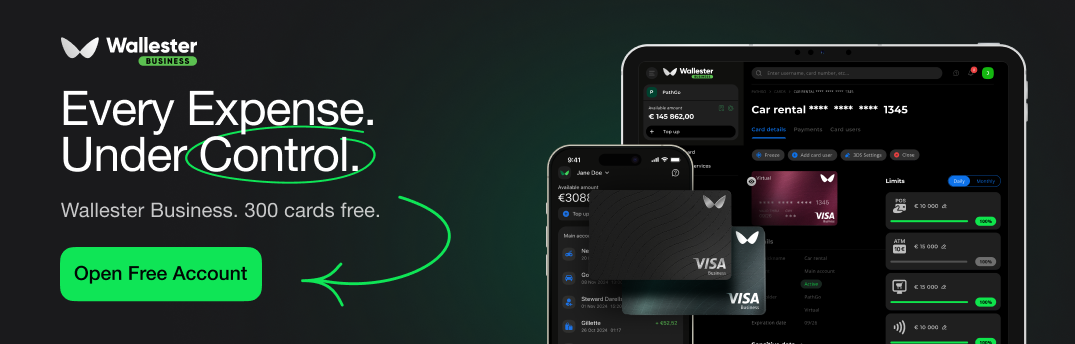
The platform provides complete finance oversight. Managers can set individual spend limits on virtual cards, monitor real-time transaction data, and configure custom approval processes for expense claims. Employees benefit from mobile-friendly workflows that allow them to categorise business expenses on the spot, whilst finance teams enjoy automated accounting integration with major ERP platforms.
By combining payment card issuance with instant expense tracking, Wallester Business turns a slow, manual task into a fast digital workflow. We invite you to discover how the solution can fit into your business expense management software setup and help your finance team save hours of manual admin.

