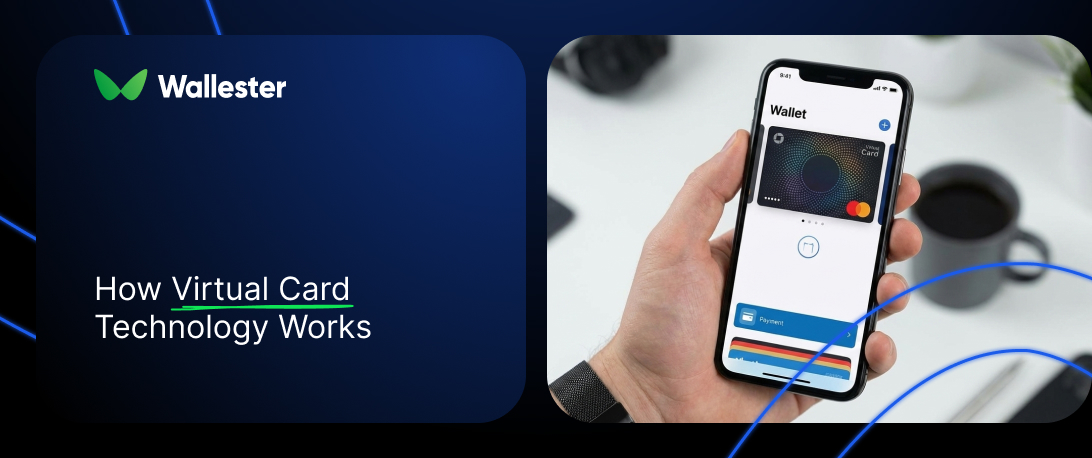
Virtual cards sit at the centre of modern digital payments, especially where speed, control, and security matter. This article looks at how virtual card systems work behind the scenes, the technology that supports them, and how they’re used in real payment flows. It also covers practical use cases, limitations, and benefits, helping readers understand where virtual cards fit into everyday online and in-store payments without getting lost in banking jargon.
Digital payments are now part of everyday routines, from online shopping to subscriptions and work expenses. Virtual cards have grown alongside this change because they give people more control over how they pay and where their money goes. They’re widely used by businesses, frequent online buyers, and anyone who wants to separate spending without relying on a single physical card. As plastic cards matter less in daily payments, understanding how virtual cards work has become a practical skill rather than a niche one.
How digital payments work
Digital payments are payments made electronically, without cash or paper-based steps. They cover everything from online checkouts and in-app purchases to contactless payments in physical stores.
In practice, a digital payment starts when a customer enters card details, taps a phone, or confirms a payment in an app. Behind the scenes, payment APIs pass the request to card networks such as Visa and Mastercard, which then check with the issuing bank to confirm the transaction. This all happens in seconds and usually without the user seeing any of the steps involved.
Mobile wallets like Apple Pay and Google Pay add another layer by replacing real card numbers with tokenised data. That allows the same card to be used online or in-store without sharing sensitive details with merchants.
To keep transactions secure, modern payment systems also rely on extra checks such as one-time passcodes, in-app confirmations, or biometric verification. These checks confirm that the person making the payment is authorised, usually by requiring a one-time code, app approval, or biometric confirmation before the transaction is approved.
Further Reading: Riding the Virtual Card Wave: A 2025 Snapshot and What Comes Next
What is a virtual card?
A virtual card is a payment card created digitally, with its own card number, expiry date, and security code. It doesn’t exist as plastic and is issued through software, which means it can be used as soon as it’s created.
Virtual cards are often confused with digital wallets, but they’re not the same thing. A digital wallet stores card details you already have, while a virtual card is a separate card in its own right. It has its own credentials and can be used independently for payments, whether online or through a mobile wallet in a physical store.
One of the main reasons people use virtual cards is control. Some virtual cards are created for a single purchase and stop working after that payment. Others remain active for subscriptions or repeated expenses, allowing spending to be separated across different cards instead of relying on one primary card.
How virtual cards work
When someone creates a virtual card, it usually happens inside a banking app or a card-issuing platform. The system generates a new card instantly, complete with its own 16-digit number, expiry date, and security code. These details are created using the issuer’s card number range, just like with a physical card, but without anything being printed or shipped.
Behind the scenes, the virtual card is linked to a funding source such as a bank account or credit line. This link is handled through tokenisation, which means the real account details aren’t passed around during payments. Each virtual card can also be set up with specific rules, like how much can be spent, where it can be used, or how long it stays active.
When the card is used to pay, the transaction runs through the usual card network checks using the virtual card details. The payment is approved against the underlying account, even though the merchant only ever sees the virtual card credentials.
Q&A: Does a virtual card hold money on its own?
No. A virtual card doesn’t store funds. It acts as a payment layer that passes transactions through to an existing account or credit line, based on the limits and rules set for that card.
Further Reading: Mobile Wallets and Virtual Cards: Integrating Apple Pay and Google Pay into Your Payment Stack
The technology behind virtual card payments
Virtual card payments work because several systems cooperate in the background, from issuing the card to approving each transaction. Each part has a specific role, and together they make virtual cards behave just like physical ones at checkout.
- Card issuing platforms
These platforms create and manage virtual cards. They handle card generation, assign card details, and apply rules such as spending limits, expiry dates, or merchant restrictions.
- BIN sponsorship
Not every platform can issue cards on its own. In those cases, a licensed BIN sponsor provides access to official card number ranges and covers regulatory requirements tied to card issuing.
- Tokenisation
During payments, the real card number is replaced with a token. This token represents the card but can’t be reused outside that context, which limits exposure if payment data is intercepted or stored by a merchant.
- APIs
APIs connect issuing platforms with payment gateways, card networks, and internal systems. They allow developers to create cards, update limits, monitor transactions, and automate card-related actions inside their own products.
- Card scheme integration
Networks such as Visa and Mastercard process virtual card transactions the same way they process physical card payments. This is why virtual cards work across standard online and in-store payment environments.
- Authentication systems
Some transactions trigger additional checks, such as 3D Secure confirmations or biometric approval. These steps confirm that the person using the card is authorised before the payment is approved.
- Mobile wallet compatibility
Virtual cards can be added to wallets like Apple Pay, Google Pay, or Samsung Pay. This allows contactless payments in physical stores using a phone or wearable device.
All of these components usually run on cloud-based infrastructure, which allows cards to be issued instantly, rules to be updated without delays, and transactions to be tracked as they happen.
Further Reading: The Future Is Now: What Businesses Expect from Modern Payments Systems
Features of virtual cards
Virtual cards are built around control and flexibility, which is why they’re often used for online spending and business payments. Most platforms offer a similar set of features, though the exact options depend on the provider.
- Single-use and multi-use cards.Some cards are created for one payment and stop working immediately after it goes through. Others stay active for subscriptions or repeat expenses.
- Spending limits.Cards can be capped by amount, time period, or both. This is useful when a card is shared with a team member or tied to a specific budget.
- Merchant restrictions.Usage can be limited to certain merchant categories or even specific sellers, reducing the chance of accidental or unauthorised spending.
- Transaction visibility.Payments show up as they happen, often with instant alerts. This makes it easier to see where money is going without waiting for statements.
- Instant availability.New cards are issued digitally and can be used right away, without waiting for anything to be printed or delivered.
Depending on the platform, virtual cards may also support automatic expiry dates, links to expense tracking tools, and multi-currency payments for international use.
Q&A: Can multiple virtual cards be linked to the same account?
Yes. Most providers allow many virtual cards to be connected to a single account or credit line, each with its own limits and rules.
How payments work with virtual cards
Paying with a virtual card feels much the same as paying with a physical one. For online purchases, you enter the card number, expiry date, and security code at checkout, and the payment is processed in the usual way. Most online stores and subscription services treat virtual cards no differently from plastic cards.
In physical stores, virtual cards are typically used through mobile wallets. After adding the card to a wallet app, you pay by holding your phone or wearable near a contactless terminal. The transaction runs over NFC, just like any other tap-to-pay purchase.
Virtual cards can also be used for browser-based payments. Some people save the card details in their browser, while others enter them manually each time. Many card issuers also provide browser extensions that fill in payment fields automatically, which speeds things up when paying online.
Further Reading: Authorisation flows in virtual card processing
What are the limitations to using virtual cards?
Virtual cards work well in most everyday payment situations, but they aren’t a perfect fit for everything.
- Older payment terminals.Some physical terminals, especially older ones, don’t support contactless payments or mobile wallets, which makes virtual cards unusable in those locations.
- Cash withdrawals.Virtual cards usually can’t be used at ATMs, since there’s no physical card to insert and many issuers block cash access by design.
- Situations requiring a physical card.Certain high-value purchases or in-person checks still ask for the card itself, which isn’t possible with a virtual-only card.
- Hotels and car rentals.These services often place deposits or request additional verification, and many still prefer a physical card at check-in or pickup.
- Regional acceptance gaps.In areas where contactless payments are less common, some merchants may not support virtual cards at all.
These limits tend to matter most when a payment involves deposits, cash, or in-person verification rather than standard card transactions.
What are the advantages of virtual cards?
The easiest way to see where virtual cards stand out is to compare them directly with traditional plastic cards.
| Area | Virtual cards | Physical cards |
| Security | Each card has its own number and rules. If one card is compromised, it can be frozen or deleted without affecting anything else. | One card number is reused everywhere. If it’s compromised, the whole card usually needs replacing. |
| Availability | Issued instantly and ready to use within seconds. No delivery involved. | Requires printing and shipping, which can take days. |
| Spending control | Limits, expiry dates, and merchant restrictions can be set per card. | Controls are usually applied at account level, not per transaction or merchant. |
| Use cases | Well suited for online purchases, subscriptions, advertising spend, and controlled business payments. | Better suited for in-store use where a physical card is required. |
| Account exposure | The main account or credit line stays hidden behind separate card details. | The same card details are exposed at every checkout. |
| Automation (business use) | Cards can be created, updated, or closed automatically through APIs. | Manual issuing and management, often tied to physical processes. |
For businesses, the ability to issue and manage cards through software is often the biggest difference. Teams can create cards on demand, tie them to specific budgets or projects, and monitor spending without handling physical cards or sharing primary account details.
Common use cases for virtual cards
Virtual cards tend to be used wherever spending needs to be controlled, separated, or limited to a specific purpose. Some of the most common scenarios include:
- Online shopping and subscriptions.Frequently used for e-commerce purchases and recurring SaaS payments, especially when people want to avoid tying subscriptions to a primary card.
- Digital advertising spend.Often assigned to individual ad platforms or campaigns, so budgets can be tracked and capped without affecting other expenses.
- Business travel.Issued to employees for flights, hotels, or meals, with clear limits in place for the duration of a trip.
- Vendor and supplier payments.Useful for one-off or occasional payments, particularly when working with new suppliers.
- Team expense management.Companies can issue separate cards to team members, each with defined rules around where and how the card can be used.
Virtual cards work well in situations where payments need clear boundaries rather than long-term, open access, since they can be created quickly and configured for a specific task.
Further Reading: Why use virtual cards instead of physical cards?
How to pay with a virtual card in physical stores
Paying in a store with a virtual card is done through a mobile wallet and follows a simple set of steps.
- Add the card to a mobile wallet.Enter the virtual card details into Apple Pay, Google Pay, or Samsung Pay, or scan them if a QR code is provided. The wallet checks the card with the issuing platform before it becomes active.
- Select the card at checkout.Open the wallet app and choose the virtual card you want to use before paying.
- Tap to pay.Hold your phone or wearable near the contactless terminal. The payment is sent using NFC with tokenised card data.
- Confirm the payment.Depending on your device, you may need to approve the transaction with a fingerprint, face scan, or device PIN.
- Receive confirmation.The terminal confirms the payment, and the transaction appears on your device immediately.
Q&A: Will a store treat a virtual card differently from a physical one?
No. The terminal processes it as a standard card payment. The fact that it’s a virtual card isn’t visible to the merchant.
How businesses usually issue virtual cards online
Issuing virtual cards requires a card-issuing provider that supports compliance, processing, and access to card networks. Platforms such as Wallester, Marqeta, and Stripe offer this setup through dashboards and APIs.
Most onboarding flows follow the same steps:
- Business verification. The provider checks ownership, directors, and authorised users as part of KYC and compliance.
- Account setup. The company account is created, with permissions for issuing cards, managing limits, and viewing transactions.
- Card programme definition. The business sets the purpose of the cards, such as employee expenses, subscriptions, advertising spend, or payouts.
- Platform connection. Cards are managed through a dashboard or integrated into internal systems through APIs.
- Internal onboarding. Teams and roles are configured so staff can use cards without sharing sensitive payment details.
- Document submission. The provider requests business registration documents, tax details, and banking information.
After approval, virtual cards can be issued immediately. Onboarding time depends on the provider, the country, and how the programme is structured.