For UK businesses. Wise prices are shown in GBP and Wallester prices in EUR. Account and feature availability depend on eligibility.
Choosing between Wallester Business and Wise Business starts with the payments your team makes every week. Do you need separate cards for dozens of suppliers and campaigns, or spend more time collecting overseas invoices and paying international contractors?
Wallester combines a business account and multi-currency balances with cards and expense controls. Wise combines international payment tools with team cards and permissions. This comparison covers their account features, fees and accounting workflows for UK business owners and finance teams.
Which Platform Should You Shortlist?
Wallester is worth shortlisting when you need many virtual cards and want to track spending against individual suppliers or campaigns. Wise is worth shortlisting when receiving money in different currencies and paying overseas recipients are central to your operation. For a business doing both, compare the complete payment flow before deciding whether one platform covers it.
What Each Platform Offers
Wallester Business
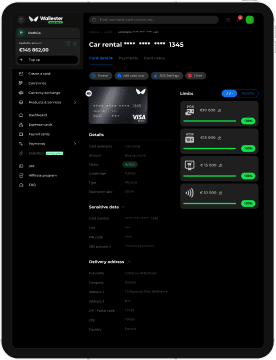
Wallester Business combines a business account and IBAN with multi-currency balances, virtual and physical Visa cards, and expense management. Finance teams can set card limits, manage user permissions and attach receipts to transactions. Personal vIBAN availability depends on the company’s industry and country of incorporation.
Its Free plan includes 300 virtual cards and unlimited employee seats. That allowance suits agencies separating campaign purchases and companies assigning a card to each recurring supplier. A separate card helps the finance team identify a purchase and change its limit without changing every company card.
Wise Business
Wise Business supports holding more than 40 currencies, international transfers and receiving payments using account details. It also provides physical and digital cards, custom team permissions and payment approvals.
Wallester Business and Wise Business at a Glance
| Feature | Wallester Business | Wise Business – UK |
|---|---|---|
| Starting cost | Free plan with no monthly subscription | Free registration; GBP 50 one-off fee for receiving account details; no monthly subscription |
| Cards | 300 virtual cards in the Free plan; physical issuance included, delivery charged separately | Physical and digital cards; first physical card included in the one-time setup fee; additional physical team cards GBP 3 each |
| Account currencies | 10 supported currencies | More than 40 currencies for holding balances |
| Account Details | Business account and IBAN; personal vIBAN eligibility depends on industry and incorporation country | Receiving account details after the setup fee; domestic and Swift fees differ |
| Team controls | Roles, permissions, card and account limits | Custom permissions, transfer approvals and cardholder limits |
| Currency conversion | Currency exchange available 24/7 | Mid-market rate plus a conversion fee; obtain a quote for the currency pair |
| Accounting | Direct Xero and QuickBooks Online connections with a review-and-sync workflow | Accounting connections including Xero, QuickBooks and FreeAgent |
These are selected comparison points, not a complete fee schedule. Check the applicable plan, payment route and account eligibility before moving funds.
Compare the Full Cost of Each Account
Wallester Pricing
Wallester’s Free plan has no monthly subscription. Premium costs EUR 199 a month and includes 3,000 virtual cards; Platinum costs EUR 999 a month and includes 18,000. Enterprise pricing is custom. Additional virtual cards carry a monthly charge according to the plan.
Physical card issuance is included; delivery is charged separately. The published standard delivery charge is EUR 5, with express delivery at EUR 20. Funding charges depend on the currency and route, so check the applicable tariff before estimating your monthly cost. The pricing page lists a 1.20% charge for EUR card top-ups.
Wise Pricing for UK Businesses
Registering with Wise is free. Its UK pricing lists a one-off GBP 50 fee to unlock receiving account details, with no monthly subscription. Sending and converting money incur transaction fees that depend on the currencies and payment route.
Wise includes the first physical card in its one-time account setup fee. Additional physical team cards cost GBP 3 each, with standard delivery included. Price the number and type of cards you actually need, alongside your transfer activity. A low card fee does not tell you the total cost of running the account.
Currency Exchange and Card Conversion Costs
Wallester supports currency exchange between its accounts. An exchange before a purchase and a card payment that needs conversion are different operations, so check the rate and fee for each.
Wise uses the mid-market exchange rate and charges a conversion fee. Its UK pricing advertises sending and conversion fees from 0.24%. The fee depends on the currency and transaction, so the starting rate cannot price every payment. Ordinary card purchases from a Wise balance in the same currency have no spending fee.
For a useful comparison, price the same transaction: the same amount, funding method, currencies and recipient. If you regularly pay in a foreign currency, compare converting a balance before spending with allowing conversion at the point of payment. Include any funding and receiving charges in the calculation.
Cards and Spending Controls
Wallester lets a finance team set individual card and account limits, freeze or close cards and collect receipts. Merchant restrictions are listed as a feature that requires contacting a client relationship manager to enable.
Wise also offers team controls. Administrators can assign permissions, require approval for transfers, set daily and monthly cardholder spending limits and block a team member’s spending. Card access can be granted without exposing the rest of the business account.
The practical test is how your team needs to organise purchasing. Map the number of people, cards and spending categories you need, then test how each platform handles a new employee, a changing budget and a departing cardholder. For card-heavy operations, confirm the card allowance and ownership model as well as the spending limit.
Receiving Money and Paying Suppliers
Wise’s receiving fees depend on how money arrives. Its UK schedule lists free domestic receipts in supported currencies, while certain wire and Swift receipts have fixed charges. The currencies you can hold are not the same thing as the currencies with local receiving details.
For a business account comparison, establish which receiving details and transfer routes each provider makes available to your company. An IBAN or a currency balance alone does not establish that a business can receive every type of customer payment or send money along every required route. Check those requirements before replacing an existing account.
For regular contractor or supplier payments, Wise supports scheduled transfers and batch payments to up to 1,000 recipients. Assess that against your actual workflow: beneficiary countries, payment approvals, invoice handling and the amounts recipients need to receive.
Accounting and the Work After a Payment
Wallester connects directly to Xero and QuickBooks Online. In the documented workflow, the finance team selects accounts, maps categories and tax codes, reviews transactions and then triggers synchronisation individually or in a batch. It keeps a review step before data reaches the accounting system.
Wise lists connections with Xero, QuickBooks and FreeAgent, among other platforms. Its accounting workflow supports transaction synchronisation and, where supported, accompanying documents. Compare the fields and documents your accountant receives through the connector you will actually use.
Test one purchase through the whole process: attach its receipt, assign the right category, send it to the ledger and reconcile the balance.
How to Choose for Your Business
An Agency with Many Campaigns and Subscriptions
Start by assessing Wallester if separating spend across many cards is the main requirement. Assigning a card to a supplier or campaign can make costs easier to trace and contain. Check merchant acceptance and any required restrictions before moving advertising spend; a card allowance alone does not guarantee every merchant will accept every transaction.
A Business Receiving Overseas Payments and Paying Contractors
Start by assessing Wise if your work is dominated by incoming payments in several currencies and transfers to overseas recipients. Check the precise receiving and payout routes you need, then compare the fee for representative transactions. Avoid choosing on a headline currency count or a minimum advertised fee alone.
A Finance Team Balancing Both Needs
Build a short monthly workload: how many cards you need, the currencies you receive, the transfers you send and the accounting system you use. Compare one platform handling everything with a split setup. Running two services can add reconciliations and funding steps, so any benefit should outweigh that extra work.
Further Reading: Cross-Border Payments: How Money Moves Across Borders Today
Choose Around Your Finance Team’s Work
Wallester is a candidate for a business account with many cards and controls over employee spending. Wise is a candidate for businesses with frequent international receipts and supplier payments. Price a representative month of transactions and test the accounting workflow before moving company spending.
If your priority is clearer control over company spending, explore Wallester Business and check how its card allowance, account features and accounting workflow fit your team.
Frequently Asked Questions
Wallester Business is an alternative to consider for business accounts, company cards and expense management. Its Free plan includes 300 virtual cards, which can suit a company separating purchases across many suppliers. Wise also provides team cards alongside international payment tools. Compare the account details, transfer routes and controls required by your business before choosing.
Wise Business has no monthly subscription, and UK registration is free. A one-off GBP 50 setup fee unlocks receiving account details. Sending and converting money carry transaction fees that depend on the currencies and payment route. Calculate those charges using the amounts your business receives and sends each month.
The first Wise Business physical card is included in the one-time account setup fee. Additional physical team cards cost GBP 3 each, with standard delivery included. Digital cards have no card-issuance fee. Currency conversion and other chargeable transactions can still add to your spending costs.
Wise Business lets administrators set custom permissions for team members. You can control who views balances, moves money or manages the account. Payment approvals can require another team member to approve a transfer before it is completed. Daily and monthly cardholder limits provide separate controls over employee spending.
Wallester Business provides a business account and IBAN alongside its cards and expense tools. Personal vIBAN availability depends on your company’s industry and country of incorporation. Check which account details your company can obtain during onboarding. Confirm the required receiving and payment routes before moving an existing business workflow.
Wallester Business includes 300 virtual cards in its Free plan. Premium includes 3,000 cards for EUR 199 a month, and Platinum includes 18,000 for EUR 999 a month. Additional virtual cards carry a monthly charge that depends on the plan. Estimate your active card count before choosing a subscription.
Both Wallester Business and Wise offer connections to Xero and QuickBooks. Wallester’s documented workflow uses account and category mapping, followed by a review and a user-triggered sync to Xero or QuickBooks Online. Wise supports transaction synchronisation and document syncing where the connector supports it. Test a purchase and its receipt through your chosen accounting setup before moving the full workflow.
The lower-cost option depends on your business’s card use and payment activity. Compare subscription and setup charges, the cards you need and the fees for funding or converting money. Use the same transaction amounts and currency pairs when comparing quotes. A company using two services should also account for the extra reconciliation and funding work.