


This guide examines how electronic systems capture invoice data and route documents for verification. It details the operational stages of digital finance, compares manual steps with digital workflows, and outlines the features to consider when selecting software. It also explains how corporate cards assist with expense documentation.
Manual verification of ledger entries frequently causes delays and introduces compliance risks for finance operations. Accurate purchase records are essential for maintaining steady supplier relationships and preventing duplicate payments. Transitioning to digital validation and structured card tracking helps teams maintain accurate audits. Modernising these finance workflows helps protect cash flow, simplifies tax reporting, and helps accounts payable departments manage all daily supplier payments.
What is invoice processing automation, and how does it work?
Invoice processing automation uses digital systems to receive, extract, and approve supplier bills without manual intervention. The technology scans incoming documents, matches data against purchase records, and automatically routes the digital file to accounting archives.
The process begins with invoice receipt. Suppliers send documents via email, post, or electronic portals. Automated invoice capture then extracts key metadata. Using OCR invoice processing, the software identifies lines such as tax, supplier name, and totals. Once the software completes invoice data extraction, validation rules verify the values.
The system then triggers the invoice approval workflow. If the document matches purchase orders, the software bypasses manual reviews. If errors occur, the file goes to finance administrators for exception handling. Following approval, integration with the ERP or accounting system records the entry, and the document is stored in a secure digital archive for audit compliance.
| Invoice stage | Manual process | Automated process |
| Invoice receipt | Opening postal mail or downloading email attachments manually | Direct digital ingestion from the inbox or the supplier portal |
| Data capture | Typing the supplier name, dates, and amounts into the ledger | OCR extraction of invoice lines without manual input |
| Validation | Checking physical documents against purchase files | Automated matching of line items with purchase orders |
| Approval | Sending physical paper or forwarding emails to managers | System routing based on custom authorisation limits |
| Storage | Filing paper documents in physical cabinets | Automatic archiving in a searchable digital database |
Q&A: Can an automated invoice capture process paper invoices?
Yes. OCR scanning technology converts paper invoices into readable digital formats, allowing systems to extract key data fields and initiate approvals.
Which invoice processing tasks benefit most from automation?
Repetitive steps like invoice capture, data extraction, and purchase order matching show the most significant gains when managed digitally. Automating duplicate invoice detection, exception handling, and approval routing also secures audit records and eases supplier communication.
Handling accounts payable transactions by hand creates constant friction across the entire payment cycle. When departments implement automated invoice capture, they immediately stop wasting hours on physical data input, allowing invoice verification to run in the background. This process automatically checks invoice lines, VAT rates, and payment parameters against corresponding purchase records. If mismatching values or billing errors are discovered, the system instantly flags the file for exception handling.
For purchases where no prior purchase order exists, the system bypasses matching and initiates approval routing, sending the file straight to authorised budget holders. Automated systems also scan for duplicate references and dates before payments are sent, preventing double disbursements.
Official UK payment statistics updated for 2026 reveal that statutory payment reporting deadlines place strict pressures on corporate accounting. Guidance from the Department for Business and Trade indicates that digital record-keeping helps companies meet prompt payment standards, showing that automated processes help businesses settle supplier accounts on average 10 days faster than manual data entry.
- Invoice capture scans and digitises incoming billing files from multiple receipt channels.
- Data validation checks line items and tax figures against ledger records.
- Approval workflows route matched documents directly to authorised budget holders.
- Exception handling flags discrepancies for immediate finance administrator review.
- Audit records log every transaction step to maintain clear operational compliance.
Q&A: Can invoice automation work without purchase orders?
Yes. The system can route non-purchase-order invoices directly to relevant managers for review based on department budgets.
What should businesses look for in invoice processing software?
Businesses look for platforms that offer precise OCR data extraction and direct accounting-system integration. High security standards, adjustable approval parameters, and clear audit logging are also standard criteria.
Deploying accounts payable automation software requires verifying compatibility with existing ERP systems. Direct integration avoids manual data synchronisation. OCR accuracy is essential; higher capture rates prevent manual correction cycles.
Security remains central. Platforms must comply with strict data protection regulations. The system must also support multi-level approval workflows. Finance leads need the ability to set specific user permissions, making certain only authorised staff approve high-value transactions.
| Feature | Business value |
| OCR capture | Removes manual ledger entries and accelerates data entry |
| Workflow automation | Speeds up the authorisation of supplier invoices |
| ERP integration | Synchronises financial files across company platforms |
| Audit trail | Tracks document history for tax compliance |
| Reporting | Provides visibility into the company’s liabilities and cash flow |
Q&A: Is invoice processing automation suitable for small businesses?
Yes. Many cloud-based platforms offer scalable tier options, allowing smaller finance departments to automate processes without heavy upfront software investment.
How can Wallester Business support invoice processing workflows?
Wallester Business complements invoice systems by providing comprehensive expense-management and corporate-card records. The platform documents card-based purchases, giving finance teams complete visibility of card expenditures.
Wallester Business operates alongside accounts payable automation by tracking direct corporate card purchases. While software manages supplier invoices, corporate Visa cards handle immediate operational expenses, advertising costs, or travel. The platform issues both physical and virtual corporate Visa cards with strict employee spending controls.
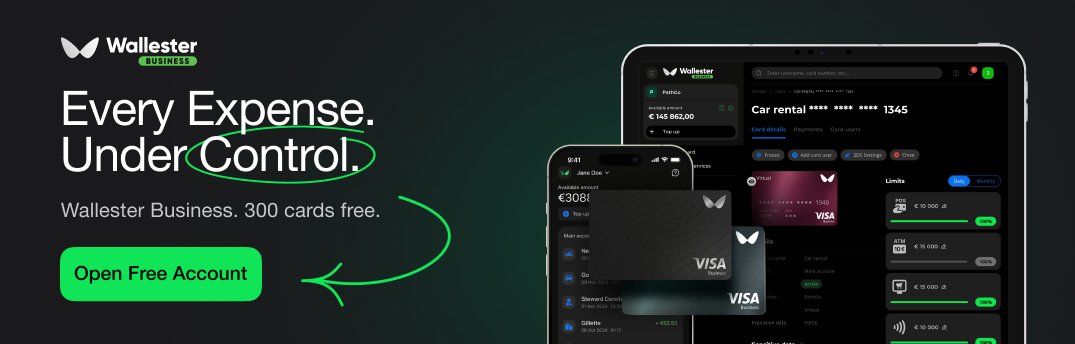
When an employee uses a card, the transaction triggers real-time transaction records. The employee uploads a photo of the receipt directly to the platform, facilitating swift receipt collection and automatic expense categorisation. This practice maintains clear records without relying on delayed end-of-month reporting.
Finance teams can manage approval workflows for card issuance and budget increases. Merchant-level transaction data helps control where staff use cards. Finally, exportable transaction records compile purchase documentation, easing monthly reconciliation.
- Real-time tracking displays every card transaction instantly on the finance dashboard.
- Flexible controls use individual card limits to prevent unauthorised corporate spending.
- Digital receipts allow employees to upload purchase documentation via the mobile app.
Integrate Wallester Business into your accounts payable processes to reconcile corporate card spending alongside your supplier invoices.

