


Expense management and tracking tools give you two ways to organise spend: by card or account. For simple operations, that is usually enough, but for businesses managing multiple projects, clients, campaigns, or assets – sometimes across the same cards – it can become limiting.
A transaction tells you what was spent, when and where. It doesn’t, however, tell you why, or which part of the business it belongs to. Getting that answer usually means exporting data, cross-referencing spreadsheets, or setting up separate cards for every cost stream, none of which scales well.
Tags are the answer to that problem.
What Tags Do
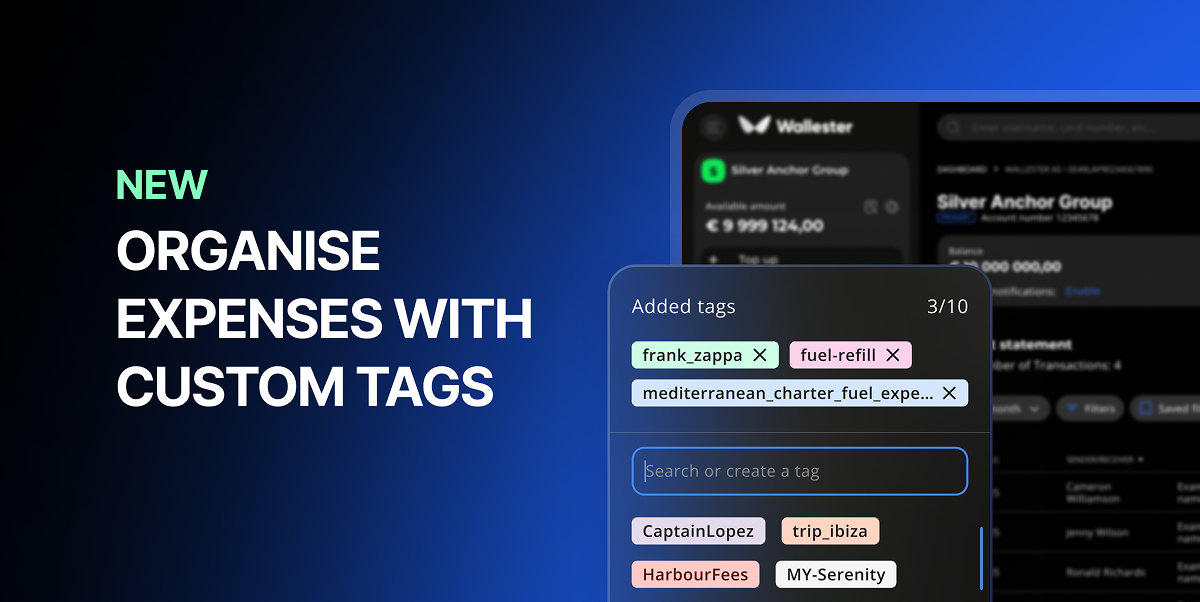
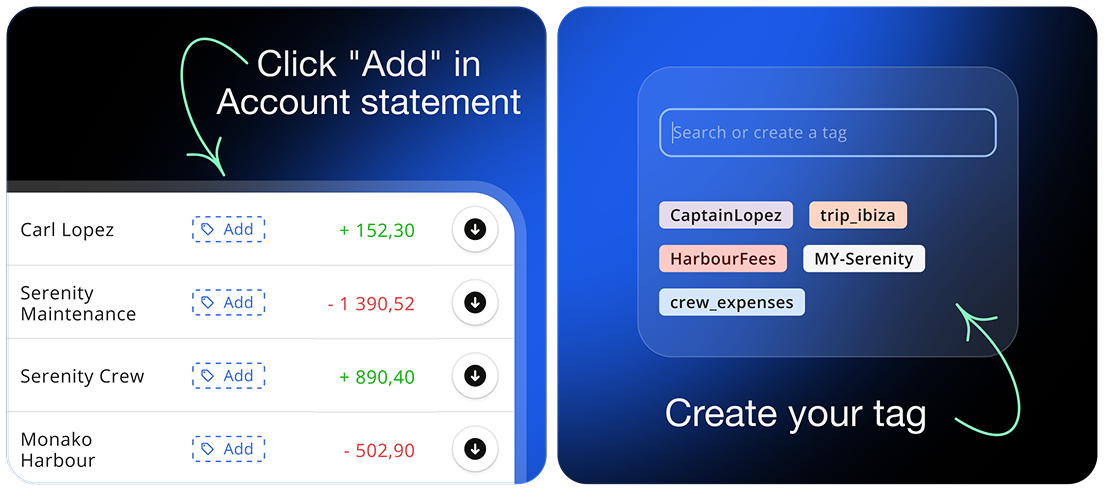
Available now in the Wallester Business Client Portal, tags let you attach custom labels to any transfer. In other words, you define the logic – projects, campaigns, clients, locations, internal categories – and apply it to transactions as they happen.
There are no predefined fields to work around, and the tagging structure is entirely yours.
Here’s an example: a yacht management company runs all operational expenses through a few cards, covering multiple vessels and campaigns. Without tags, the way to separate those costs is to issue a different card for each. With tags, every transaction can be labelled by yacht, campaign, or both. This keeps the card setup simpler while the data stays organised.
What It Means in Practice
Tags add an analytical layer without changing anything about how your teams spend or how your workflows are set up. Cards and accounts stay the same, just with richer data attached.
Tagged transfers are easier to filter, group, and explain – whether for internal reporting, client billing, or accounting. Instead of reconstructing context at month-end, it is captured at the moment of the transaction. That is a meaningful difference when you are closing the books under time pressure.
In short, for businesses with high transaction volumes or complex cost structures – agencies, fleet operators, marketing teams, resellers – tags provide the granularity that card-based tracking alone cannot always offer.
Available Now
Tags are live in the Wallester Business Client Portal. So, if you’re already a Wallester Business client, log in to start tagging your transfers. And if you’re not, creating a free account takes minutes, giving you access to tags, seamless card issuing, spend management tools, and more.

