


Discover how automatic expense coding and expense automation secure accounting accuracy. This guide outlines key transaction categorisation methods, explains general ledger routing, addresses manual entry errors, and explores the vital software capabilities that modernise business spend workflows. Learn how to establish reliable cost-centre validation.
Corporate finance departments face rising transaction volumes, which places immense pressure on teams to maintain flawless records. Manual GL coding introduces compliance risks, compromises tracking, and delays period-end closure. Consequently, forward-thinking organisations turn to automated finance tools to control business spend and maintain audit readiness. Modern digital ledger systems instantly standardise allocations, preserve precise financial accuracy, and establish clear corporate accountability.
What is automatic expense coding and why does it matter?
Automatic expense coding refers to the use of software to assign transaction data directly to the correct general ledger accounts without manual intervention. This application of expense automation improves expense categorisation by matching purchase details with defined business rules to secure consistent records for accurate reporting.
Every business purchase must align with a specific account in the general ledger. The core objective of this coding process is to maintain a true record of corporate outgoings, making sure that cash flows map to correct budgets. When teams rely on human memory, consistency suffers. One team member might classify a software subscription under ‘IT Services’, while another puts it under ‘Office Software’. This inconsistency distorts the chart of accounts and compromises reporting accuracy.
Modern finance operations rely on digital technology to prevent these errors. According to research by Xero and the Centre for Economics and Business Research, artificial intelligence and automation allow UK finance practitioners to complete tasks 31% faster on average, which saves nearly 19 hours per week.
Q&A: What happens when expenses are coded incorrectly?
Incorrect expense coding creates severe reporting errors and presents a distorted view of business profitability. This misclassification leads to tax implications, as firms might miscalculate VAT. Misaligned entries cause lengthy reconciliation issues during the month-end close. Ultimately, systemic coding mistakes raise critical audit concerns, as regulators expect a transparent, consistent record of all corporate transactions.
Further Reading: Streamlining Expense Reconciliation: From Transaction to Financial Close
How does expense automation assign transactions to the correct categories?
Expense automation executes transaction categorisation by reading digital merchant data and matches purchase details to custom coding rules. The software maps each transaction directly to the business chart of accounts. It automatically assigns cost-centre tags and specific VAT rules without manual data entry.
| Area | Manual coding | Automatic expense coding |
| Data entry | Staff type codes and amounts manually | Captures data directly from digital feeds |
| Consistency | Subjective choice by different workers | Fixed business rules apply identical codes |
| Processing speed | Slow; requires hours or days to log | Instant; logs update in seconds |
| Error risk | High; keying errors occur frequently | Low; direct extraction avoids manual faults |
| Reporting quality | Delayed; errors distort monthly files | High; correct categories yield clean data |
| Audit readiness | Weak; paper trails are often incomplete | Strong; digital logs preserve clear trails |
To achieve these results, automated expense systems follow strict coding logic. This logic begins with Merchant Category Codes (MCCs), which credit card networks assign to businesses based on their primary trade. When an employee pays for parking, the card reader transmits the MCC for transport services. The expense software reads this digital metadata instantly.
From there, company-defined rule-based coding takes over. Corporate finance departments write specific instructions within the software to map MCCs directly to internal accounting policies. For example, a rule can dictate that any transaction containing the MCC for ‘Lodging’ automatically maps to GL account ‘5210 – Travel Accommodation’ and assigns standard VAT rules.
Q&A: Can one transaction belong to multiple categories?
Yes, automated systems handle transaction splits to accommodate complex business needs. This function supports cost allocation across different departments, verifying that shared expenses do not distort individual budgets. For project accounting, a single supplier invoice can divide among multiple project codes. Furthermore, split transactions manage complex VAT considerations, separating tax-exempt items within one receipt to preserve precise tax claims.
What controls improve expense categorisation accuracy?
Strict accounting controls keep transaction data clean before it reaches the ledger. Combining merchant-code mapping with strict department tags prevents misallocation. These parameters check every credit card charge against active company policies, which stops coding mistakes before they require manual correction during bank reconciliation.
- Standard coding policies: Establish uniform rules for classifying everyday transactions across all departments.
- Approved chart of accounts: Deactivate redundant or outdated cost codes to prevent user selection errors.
- Merchant category rules: Link credit card supplier codes directly to specific general-ledger categories.
- Cost-centre validation: Require employees to assign a department code before submitting any claim.
- Periodic coding reviews: Inspect automated categorisation logic quarterly to adjust for tax changes.
These operational checks protect the integrity of financial statements. For instance, when an employee buys a train ticket, cost-centre validation forces them to tag their specific department, such as Sales UK. The system checks this tag against the ledger rules, automatically assigning the charge to travel expenses and applying correct VAT rates. This systematic approach replaces staff memory with direct policy enforcement at the point of sale. Finance managers save hours of correction work, resulting in clean, audit-ready reports.
Q&A: How often should coding rules be reviewed?
Finance managers should review active rules quarterly to maintain system precision. Corporate expansion often brings new suppliers, while tax updates or internal restructuring alter existing ledger codes.
Further Reading: Connecting Expenses, Receipts, and General Ledger
Which software features support automatic expense coding?
Leading expense management software provides direct accounting integration with core business platforms to synchronise transaction details. These automation capabilities let finance teams map costs instantly, which matches merchant details with specific general ledger codes while preserving complete data consistency across both IT networks:
- Rule-based coding
- Merchant categorisation
- Accounting integration
- ERP connectivity
- Approval workflows
- Audit logs
- VAT handling
- Reporting tools
Each software feature serves a distinct purpose to maintain clean company ledgers. Rule-based coding and merchant categorisation manage initial classification. This step blocks raw transaction data from corrupting the system. Following classification, accounting integration and ERP connectivity transfer data immediately to keep ledgers updated in real time. Approval workflows, audit logs, and automated VAT handling guarantee that every entry adheres to tax and corporate standards. Combined, this functional suite converts manual finance activities into a structured, automated flow. Finance teams then dedicate time to strategic analysis and bypass simple administrative tasks.
| Feature | Business value |
| Rule-based coding | Secures uniform account mapping and eliminates subjective classification mistakes by staff. |
| Merchant categorisation | Matches purchases with general ledger categories within seconds of card use. |
| Accounting integration | Syncs transaction records with software directly, avoiding export and import delays. |
| ERP connectivity | Links corporate card spend to central enterprise systems for unified financial management. |
| Audit logs | Provides a clear, historical record of all code changes for external auditors. |
| Reporting tools | Delivers instant spend visibility to help departments manage their monthly budgets. |
Further Reading: Month-End Close: Accelerating Financial Close with Automated Reconciliation
How Wallester supports expense automation and coding accuracy
To adopt automated workflows, firms need capable partners. Wallester Business addresses this by providing a unified platform designed for modern business spend management. Through physical and virtual corporate cards, the platform captures transaction data at the point of sale, which gives finance teams instant transaction visibility.
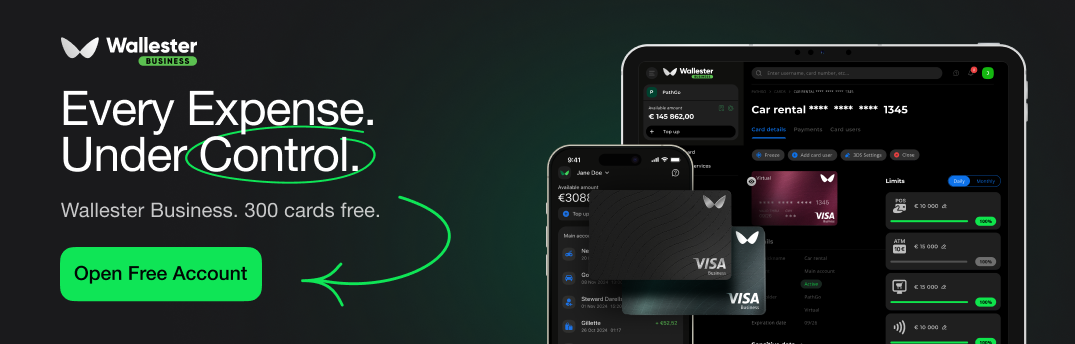
Wallester Business includes native expense categorisation tools that automatically assign codes based on merchant profiles. Companies can implement customised approval workflows, so that card spend remains within corporate guidelines before any purchase occurs. To assist with reconciliation readiness, the system integrates with existing accounting software and ERP setups.
This comprehensive accounting integration support makes sure that transaction logs, tax categories, and receipt images flow directly into your core ledger. With automated reporting capabilities, the platform provides strong finance oversight and helps controllers monitor department budgets as they occur. If you want to simplify your spend management, explore how Wallester Business can support your automated expense processes today.

